A little tap. A bigger stack.
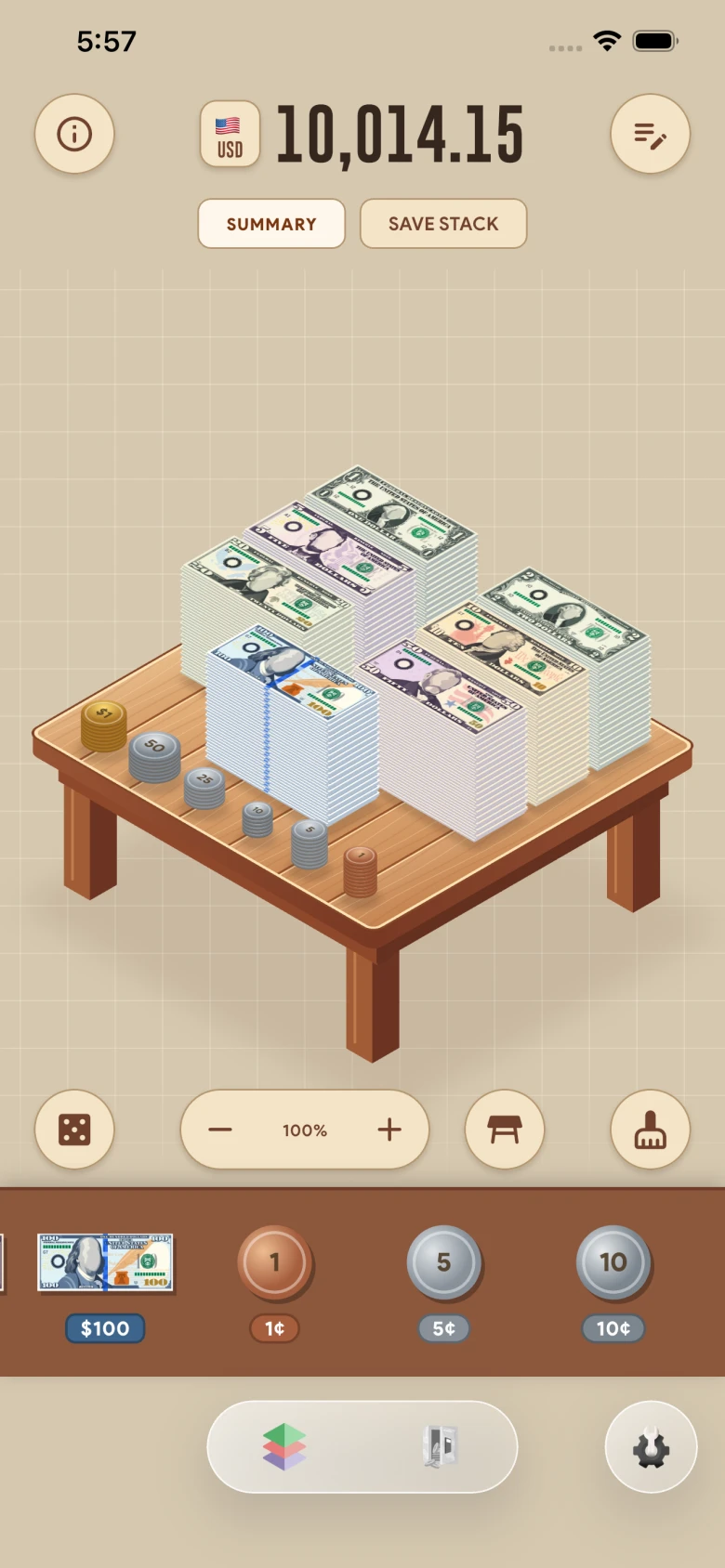
Tap a note or coin to add it. Hold to keep stacking, or hold a stack on the table to take it away.
 Money Stack
Get the app
A fresh way to see your money
Give an amount a shape. Explore 32 currencies, keep your favourites close, and save every creation in your Vault.
Made for iOS & Android
More than a number
From a handful of coins to a table full of notes.
A simple, satisfying way to bring an amount to life.
Tap a note or coin to add it. Hold to keep stacking, or hold a stack on the table to take it away.
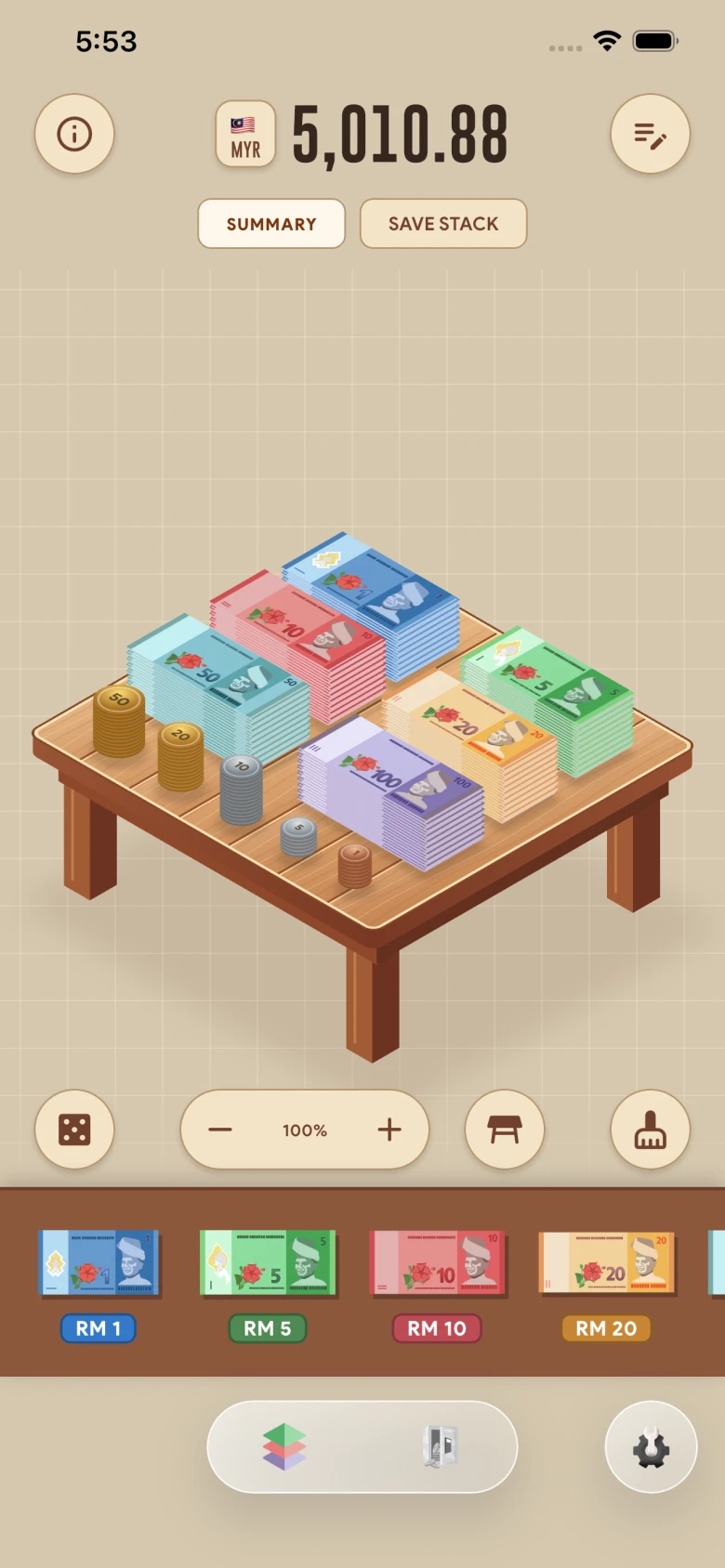
Enter an amount and watch it become a table of notes and coins. No counting it out yourself.
Roll the dice to rearrange the notes. Discover a different breakdown without changing the total.
A world of notes
Familiar colors, beautifully illustrated details. Explore 32 currencies, with 18 new additions to the collection. From yen to dinars, give each amount a place on your table.
Pick a currency to peek inside the app
21 more currencies are on the way. These are previews of what’s planned and aren’t available to stack yet.
Each currency has its own illustrated denominations. Switching currencies changes your stack; it does not convert amounts at an exchange rate.
NEW AT THE TABLE
A growing collection, with easier ways to make it yours.
Meet the won, dirham, peso, dinar, and more. The collection now includes 32 currencies, with portrait and landscape notes shown in their natural proportions.
Explore the currency listOpen Currency, tap Set Favourite, and choose up to three currencies. Your shortcuts stay beside the table, ready whenever you want to switch.
Your App Store or Google Play country suggests the starting currency and puts it first in the list. If it isn’t supported or can’t be detected, start with USD. You can always choose another.
Already chosen a currency? Your saved selection stays yours.
Find your next currency faster. Search by name, code, or country. The search bar stays in view as you scroll, and the list opens at your selected currency.
Simple from the first tap
No setup. No spreadsheets. Just a few satisfying taps.
Start with your familiar notes, or explore something a little different.
Add notes and coins by hand, or type in a total and let Money Stack do the stacking.
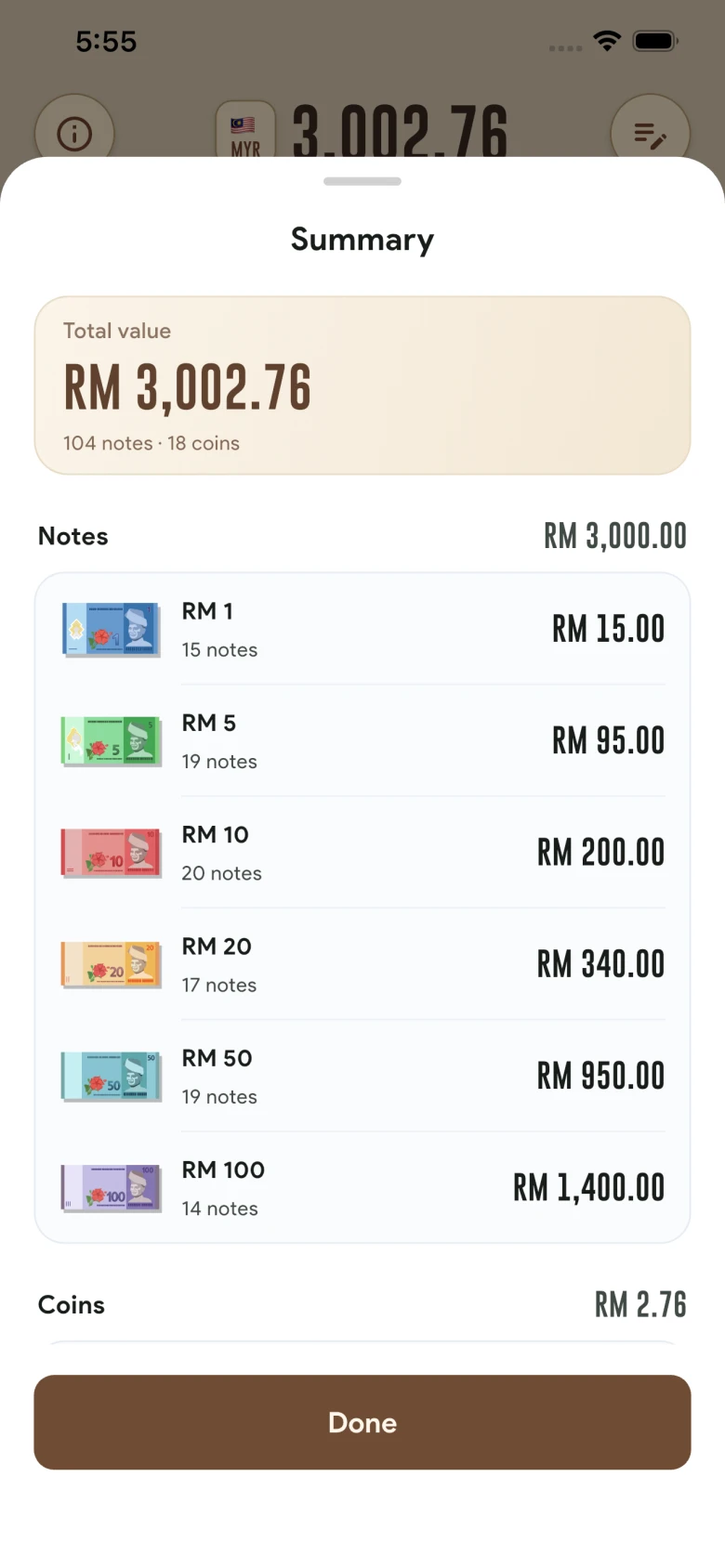
Zoom into your creation and open the summary for a clear, denomination-by-denomination breakdown.
Add a name, date, and a personal note, then save it to your Vault. Your chosen table comes along, too.
Stack today. Revisit tomorrow.
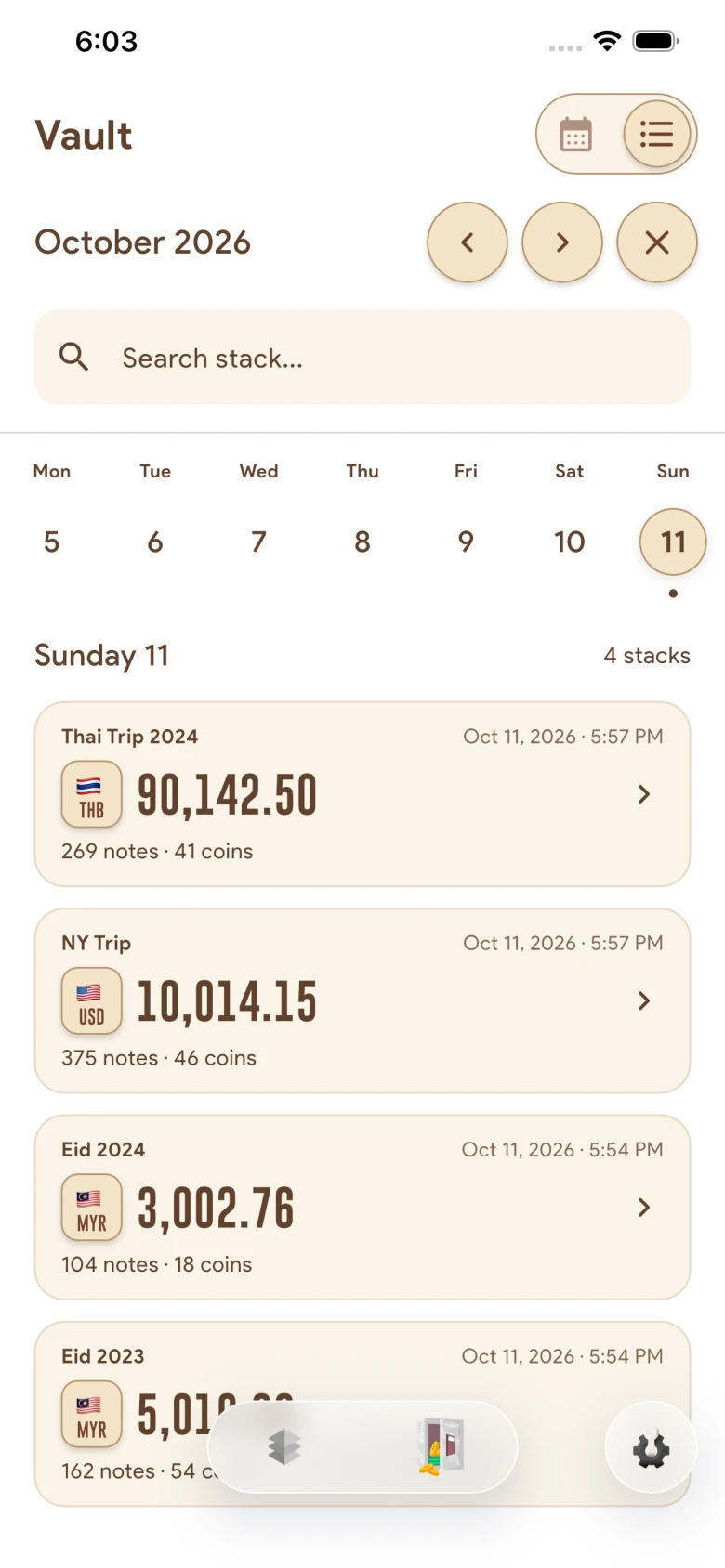
A holiday fund. A rainy-day amount. Or just a wonderfully satisfying stack. Give each creation a name and keep it close.
Your week at a glance, with the day’s stacks right below.
A little personality goes a long way
Little details that make it feel like yours.
Start with a free table, or choose a Premium or Platinum design. Buy a favorite to keep, or unlock the full collection with Money Stack Pro. Preview 10 designs here.

Scroll to explore these previews. Find the full collection in the app.
Original Green

The rustle of notes, the clink of coins, and optional background music. Sound on, or a quiet moment—it’s up to you.
MORE ROOM TO MAKE IT YOURS
Keep a Premium or Platinum table with a one-time purchase. Money Stack Pro opens every table, including new additions, and lets you share without a watermark, customize the share toolbar, and enjoy the app without ads.
A few things to know
A little clarity before your first stack.

Money Stack turns an amount into illustrated piles of notes and coins. Build a stack, change the table beneath it, and save it to your personal Vault.
Money Stack helps you visualize amounts. It doesn’t connect to a bank, hold real money, move funds, or track your savings automatically.
There are 32 available currencies, including 18 recent additions such as South Korean Won, UAE Dirham, Mexican Peso, and Kuwaiti Dinar. See the full currency list, along with 21 more marked Coming Soon. Available notes and coins vary by currency. Switching currencies does not convert an amount at an exchange rate.
Open the Currency sheet and tap Set Favourite. Choose up to three available currencies and save your selection. Tap their shortcuts beside the table to switch instantly. Each currency keeps its own stack, so you can return to where you left off.
Money Stack uses the country provided by the App Store on iOS or Google Play on Android to suggest a supported currency. If the country can’t be detected or its currency isn’t available, USD is used. Your previously saved selection takes priority, and you can change currencies at any time.
You can buy an individual Premium or Platinum table to keep. A Money Stack Pro subscription unlocks all tables while it is active, including new designs, plus an ad-free experience and extra sharing options. The app shows your local store prices before you buy.
No account is needed to build and save stacks. Core stacking and Vault features work offline. Purchases, restores, store-country detection, and ads may need an internet connection.
Your Vault and favourite currency choices are stored on your device and do not currently sync between devices. Removing the app or its data may remove saved stacks and preferences.
Find Money Stack on the App Store for iOS or Google Play for Android. Choose your store below to visit the app’s listing.
A LITTLE CONVERSATION
A question, a curious bug, or an idea you would love to see? There’s room for it here.
Share only what we need to help. Please leave out passwords, account numbers, and sensitive financial details.
Make a little room for Money Stack
A calmer, more playful way to see an amount.
Make a little space on your home screen.
See you at the table!